

How to Switch to Refillable Cartridges
Table of Contents
- What You'll Need Before Switching to Refillable Cartridges
- Verify Compatibility and Check Your Printer Model
- Step-by-Step: Installing Refillable Cartridges
- How to Reset Ink Cartridge Chips After Installation
- Best Refillable Cartridges for Epson Printers
- Refillable Ink Cartridge Maintenance Tips
- Troubleshooting Common Refillable Cartridge Issues
- Long-Term Printer Health and Ink Quality Considerations
- Frequently Asked Questions
Last Updated: August 31, 2026
What You'll Need Before Switching to Refillable Cartridges
Switching to refillable cartridges requires the right tools and workspace setup. Set up a dedicated area away from your printer with a clean, flat surface and good lighting.
Here's what to have ready:
- Refillable cartridges compatible with your specific printer model
- Refill ink bottles in the correct colors and formulation for your printer type
- Funnels for filling cartridges without spillage, Printer Ink Pro offers funnels in multiple sizes (4, 5, 6, or 7 funnels depending on your setup)
- Syringes or ink injectors for precise filling
- Lint-free cloths for cleaning printheads and cartridge contacts
- Isopropyl alcohol (90% or higher) for maintenance and cleaning
- Protective gloves, nitrile or latex to prevent staining your hands
- Paper towels or absorbent materials to contain potential spills
- Workspace protection like plastic sheeting or old newspapers to protect surfaces
- Replacement cartridge chips if your printer uses them (some models require chip resets after refilling)
Verify Compatibility and Check Your Printer Model
Compatibility is non-negotiable. Installing incompatible refillable cartridges wastes money and risks damage to your printer's carriage, printhead, or internal mechanisms.

Your printer's model number is your starting point. Find it on the printer itself, usually on the back panel or inside the cartridge access area. This number determines which cartridges fit, what ink formulations work, and whether your printer supports refillable systems at all.
Check three specific compatibility factors:
- Physical cartridge design: Does your printer use standard cartridges or proprietary designs? Some models use cartridges with integrated printheads that cannot be refilled safely.
- Ink type requirements: Dye-based, pigment-based, or eco-solvent inks have different viscosity properties. Using the wrong type clogs nozzles and damages printheads.
- Chip reset capability: Many modern printers require cartridge chips to be reset or replaced after refilling. Confirm that replacement chips are available and that your printer doesn't have anti-refill firmware locks.
Epson and Canon professional printers dominate the refillable cartridge market. Printer Ink Pro specializes in refillable cartridges for these models, with solutions for dye sublimation, DTF, pigment, and eco-solvent applications.
Step-by-Step: Installing Refillable Cartridges
The installation process is straightforward if you follow the correct sequence. Rushing through steps or skipping safety precautions leads to ink spills, air bubbles, and poor print quality.
Step 1: Remove Existing OEM Cartridges
Power off your printer completely before opening the cartridge access area. Open the cartridge access door and wait for the carriage to settle. Never force a moving carriage.
Once stationary, locate the tab release mechanism, typically a small plastic tab or lever on each cartridge. Press or slide the tab to unlock the cartridge, then gently pull it straight out toward you.
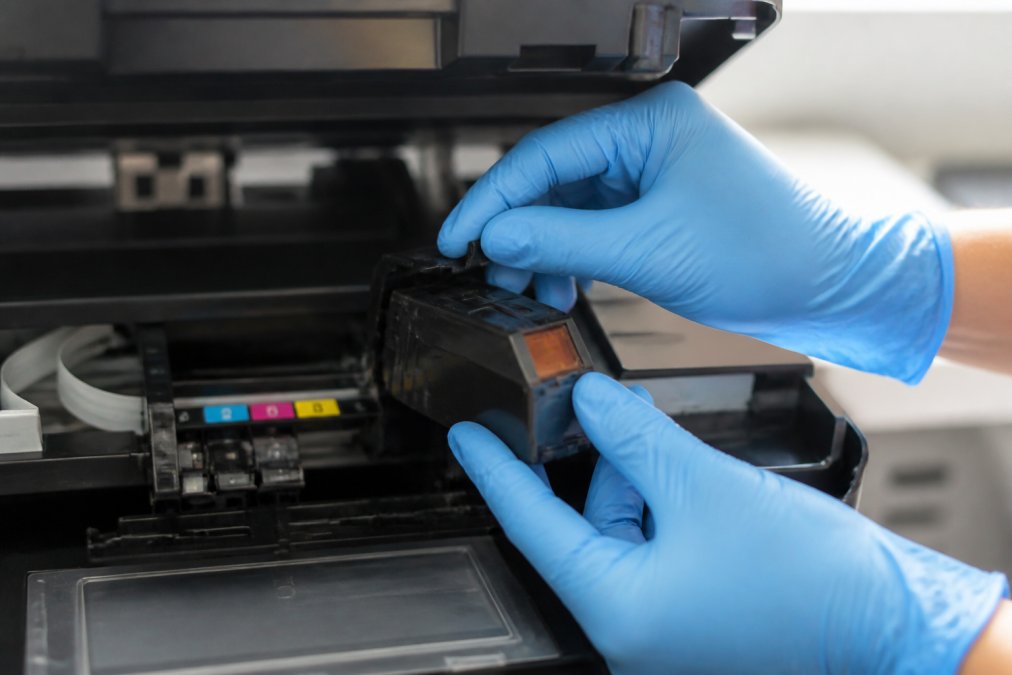
Place removed cartridges on a clean surface. If you plan to recycle them, keep them upright to prevent ink leakage.
Step 2: Insert Refillable Cartridges into the Carriage
Before inserting refillable cartridges, inspect them visually. Check that all protective seals and caps are removed, ink reservoirs are filled to the appropriate level, cartridge chips are properly installed, and no visible cracks or damage exist on the cartridge body.
Align the refillable cartridge with the carriage slot, matching the color and position to your printer's layout. Gently push the cartridge straight in until you hear or feel it click into place. The cartridge should sit flush with the carriage, no gaps or misalignment.
Repeat this process for each color cartridge your printer uses.
Step 3: Run Initial Setup and Nozzle Check
Close the cartridge access door and power on your printer. Most printers automatically detect new cartridges and may run a setup routine. Allow this to complete without interruption.
Once startup is complete, run a nozzle check. This diagnostic test verifies that ink is flowing properly to all printheads and that no nozzles are clogged. Access nozzle check through your printer's control panel or driver software (usually under "Maintenance" or "Tools").
The nozzle check prints a test pattern. Examine it carefully: all color bands should be complete and solid with no missing lines or gaps. If nozzles are clogged, run a printhead cleaning cycle. Most printers offer light, normal, and deep cleaning options. Start with light cleaning; if that doesn't resolve the issue, repeat with normal cleaning.
How to Reset Ink Cartridge Chips After Installation
Many modern printers, especially Epson and Canon professional models, track cartridge usage through embedded chips. When you install refillable cartridges, the chip may still report "empty" or "low," triggering error messages that prevent printing.
Some refillable cartridges ship with pre-reset chips that work immediately. Check your cartridge documentation to confirm. If your cartridges require manual reset, you have two options:
Option 1: Manual chip reset using a chip resetter tool
A chip resetter is a small electronic device that communicates with cartridge chips. Place the cartridge chip against the resetter's contact points and press the button. The device resets the chip to "full" status. Most resetters cost between $15 and $30 and work with multiple cartridge types (bbb.org).
Option 2: Replace the chip with a new one
Some users prefer replacing old chips with new ones rather than resetting. Replacement chips are available from Printer Ink Pro and other suppliers. Gently pry off the old chip using a plastic tool (never metal, it can damage the cartridge), then snap the new chip into place.
Not all printers require chip resets. Consult your printer's manual or contact support to confirm whether your model needs chip resets.
Best Refillable Cartridges for Epson Printers
Epson professional printers dominate the refillable cartridge market, particularly in dye sublimation, DTF, and pigment ink applications. Epson's SureColor and WorkForce Pro series are industry standards for custom apparel, fine art printing, and signage production.
When selecting refillable cartridges for Epson equipment, prioritize compatibility with your specific ink type. Dye-based inks used in sublimation have different viscosity than pigment-based inks used in professional photography. Using the wrong ink type causes clogging, poor color accuracy, and printhead damage.
Printer Ink Pro specializes in Epson-compatible refillable cartridges across all major ink categories:
- Dye Sublimation cartridges for custom apparel and promotional product printing
- DTF (Direct-to-Film) cartridges for textile printing workflows
- Pigment ink cartridges for fine art and archival-quality prints
- Eco-solvent cartridges for outdoor signage and banner applications
The key differentiator between quality refillable cartridges and cheaper alternatives is ink formulation consistency. Professional-grade refillable systems use inks engineered to match OEM specifications for viscosity, surface tension, and color accuracy. Budget alternatives often use generic inks that produce banding, color shifts, or clogging.
Refillable Ink Cartridge Maintenance Tips
Refillable cartridges require more active maintenance than OEM cartridges, but the effort is manageable if you follow a consistent routine. Proper maintenance prevents clogging, maintains color accuracy, and extends cartridge lifespan.
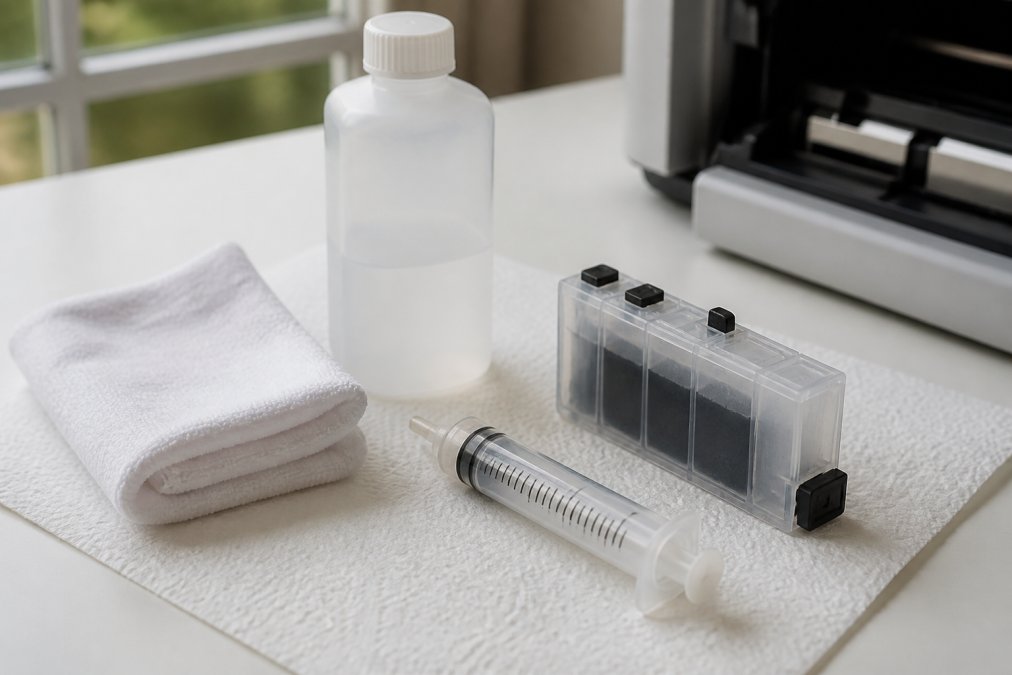
Weekly maintenance applies if you print regularly (more than 10 pages daily):
- Run a nozzle check every 3-5 days to catch early clogging
- If nozzles are clogged, run a light cleaning cycle immediately
- Inspect ink reservoir levels and top up if they drop below 25% capacity
Monthly deep maintenance prevents long-term problems:
- Clean cartridge contacts with a lint-free cloth slightly dampened with isopropyl alcohol
- Inspect the printhead area for dried ink or debris
- Run a deep cleaning cycle if print quality has degraded
Storage precautions if you pause printing for more than a week:
- Leave cartridges installed in the printer (removing them causes ink to dry and clog nozzles)
- Run a nozzle check before resuming printing
A common mistake is ignoring early warning signs of clogging. When a nozzle first starts to clog, running a light cleaning cycle resolves it in minutes. Waiting until multiple nozzles are clogged requires deep cleaning cycles that consume significant ink volume and waste time.
Troubleshooting Common Refillable Cartridge Issues
Most refillable cartridge problems fall into a few predictable categories. Knowing how to diagnose and fix them saves time and prevents unnecessary cartridge replacement.
"No Cartridge" or "Cartridge Error" messages
This error typically means the printer cannot communicate with the cartridge chip. Verify that the cartridge is fully seated in the carriage (push it in firmly until it clicks), the chip is properly installed and making contact with the printer's sensor, and the chip hasn't been reset incorrectly.
If the cartridge is seated correctly and the chip is installed, try removing and reinserting the cartridge. If the error persists, the chip may be damaged and require replacement.
Poor print quality, banding, or color shifts
These issues indicate either clogged nozzles or incompatible ink. Run a nozzle check first. If nozzles are clogged, run a cleaning cycle. If the nozzle check shows all nozzles firing but print quality is still poor, the ink formulation may be incompatible with your printer.
Verify that the refillable ink you're using matches your printer's specifications. If you've switched ink types, you may need to run multiple cleaning cycles to purge the old ink completely.
Ink leakage from cartridges or reservoirs
Leakage usually indicates either overfilled reservoirs or cracks in the cartridge body. Never fill cartridges beyond the maximum fill line; excess pressure causes leakage at seals and joints.
If a cartridge is cracked, it cannot be repaired and must be replaced.
Air bubbles in ink lines
Air bubbles disrupt ink flow and cause printing gaps. To remove them, remove the cartridge and hold it upright. Gently tap the cartridge against a hard surface (wrapped in paper towels) to dislodge bubbles. Reinstall the cartridge and run a cleaning cycle.
Long-Term Printer Health and Ink Quality Considerations
Switching to refillable cartridges is a long-term commitment that affects your printer's lifespan and your output quality. Understanding the trade-offs helps you make an informed decision.
Printer longevity
Professional printers are engineered to handle millions of pages with proper maintenance (canon.com). Refillable cartridges themselves don't shorten printer lifespan, but improper use can. Using incompatible ink formulations, allowing nozzles to clog persistently, or refilling cartridges with low-quality ink accelerates printhead wear.
The printhead is the most expensive component to replace, often costing $500 to $2,000 in labor and parts. Protecting it through consistent maintenance and quality ink is the best investment you can make.
Ink quality and color consistency
OEM inks are formulated specifically for each printer model. Professional-grade refillable inks from reputable suppliers match OEM specifications closely and produce comparable color accuracy and longevity. Budget refillable inks often cut corners on formulation, resulting in color shifts, fading, or poor archival properties.
For applications requiring color consistency, custom apparel, fine art prints, or client deliverables, invest in refillable inks engineered for your specific printer and ink type.
Viscosity and formulation differences
Viscosity is the thickness of ink, how easily it flows through nozzles. Different ink types have different optimal viscosity ranges:
- Dye-based inks are typically thinner and flow more easily (peer-reviewed research)
- Pigment-based inks are thicker and require more precise nozzle alignment
- Eco-solvent inks are thicker still and need higher heating
Using ink with incorrect viscosity causes either too-fast flow (leakage, poor color saturation) or too-slow flow (clogging, inconsistent output). Always verify that refillable ink you purchase is formulated for your specific printer and ink type.
Disposal and environmental impact
Refillable cartridges reduce waste significantly compared to disposable OEM cartridges. Instead of discarding a cartridge after use, you refill it dozens of times. Over a year, a print shop using refillables generates a fraction of the plastic waste compared to OEM-only operations.
However, improper disposal of old cartridges and spilled ink creates environmental problems. Always recycle empty cartridges through manufacturer or retailer programs, dispose of spilled ink properly (never pour it down drains), and store ink bottles safely away from water sources and storm drains.
Switching to refillable cartridges requires upfront investment in tools, supplies, and learning, but the long-term savings and environmental benefits make the transition worthwhile for professional printing operations. The key is selecting compatible cartridges, maintaining them consistently, and using quality inks engineered for your specific printer. At Printer Ink Pro, we provide refillable cartridges, maintenance supplies, and replacement chips designed to keep your Epson and Canon printers running at peak performance. Get started with Printer Ink Pro and eliminate the ongoing expense of OEM cartridges while maintaining the print quality your customers expect.
Frequently Asked Questions
How much will I save by switching to refillable cartridges?
Refillable cartridges can significantly reduce your cost per page compared to OEM cartridges. For high-volume print shops using multiple cartridges weekly, this can translate to substantial monthly savings. The initial investment in refillable cartridges and refill kits can pay for itself quickly with regular printing. Professional users running dye sublimation or DTF operations often see a fast return on investment due to higher ink consumption.
How do I reset an ink cartridge chip after refilling?
Some modern refillable cartridges come with pre-installed reset chips that auto-detect when ink levels drop. For manual resets, you'll need a chip resetter tool compatible with your printer model. Insert the cartridge into the resetter, press firmly until you hear a click, then reinstall the cartridge in your printer. Run a nozzle check immediately after to confirm the reset took effect. Consult your printer manual for specific instructions regarding chip recognition.
Will refillable cartridges void my printer warranty?
Using third-party refillable cartridges does not automatically void your warranty. However, if printer damage is directly traced to cartridge malfunction, the manufacturer may deny coverage for that specific issue. To protect yourself, keep documentation of your cartridge purchases and use only compatible, quality-tested refillable systems. Many professional print shops operate successfully with refillable cartridges without warranty issues by maintaining proper maintenance and using compatible ink formulations.
What's the difference between dye-based and pigment-based ink in refillable cartridges?
Dye-based inks dissolve completely in water, producing vibrant colors ideal for photo printing and dye sublimation. Pigment-based inks contain solid particles suspended in liquid, offering better longevity and color accuracy for fine art and professional signage. Pigment inks are thicker and may require more frequent printhead cleaning to prevent clogging. Choose based on your output: dye-based for sublimation and vibrant graphics, pigment-based for archival-quality fine art and outdoor signage requiring durability.
This article was written using GrandRanker