

Refillable Cartridges vs OEM Ink: Cost per Page in 2026
Table of Contents
- Refillable Cartridges vs OEM Ink: The Real Cost per Page Comparison
- Upfront Printer Cost vs. Long-Term Ink Savings
- OEM vs. Aftermarket Ink: Quality, Yield, and Printhead Health
- Best Refillable Cartridges for Epson Printers: What to Look For
- Refillable Ink Cartridge Maintenance Tips to Protect Your Printer
- Total Cost of Ownership: When Refillable Cartridges Win
- Final Verdict: Which Ink System Saves You More in 2026?
- Frequently Asked Questions
Last Updated: September 8, 2026
Refillable Cartridges vs OEM Ink: The Real Cost per Page Comparison
The debate over refillable cartridges vs oem ink costs usually stalls at which one is cheaper per page, missing the full picture: the real difference shows up over years of printing. We build this comparison on total cost of ownership, printhead health, and output quality.

Cost per page is the single most reliable metric for comparing ink systems, because it accounts for page yield and ink volume rather than just the sticker price of a cartridge. When you divide the price of a cartridge by its page yield, OEM cartridges consistently cost several times more per page than refillable systems, especially for pigment inks used in photo and fine art printing. The gap widens further for high-volume printing, where the savings from refillable cartridges compound with every batch of documents or prints.
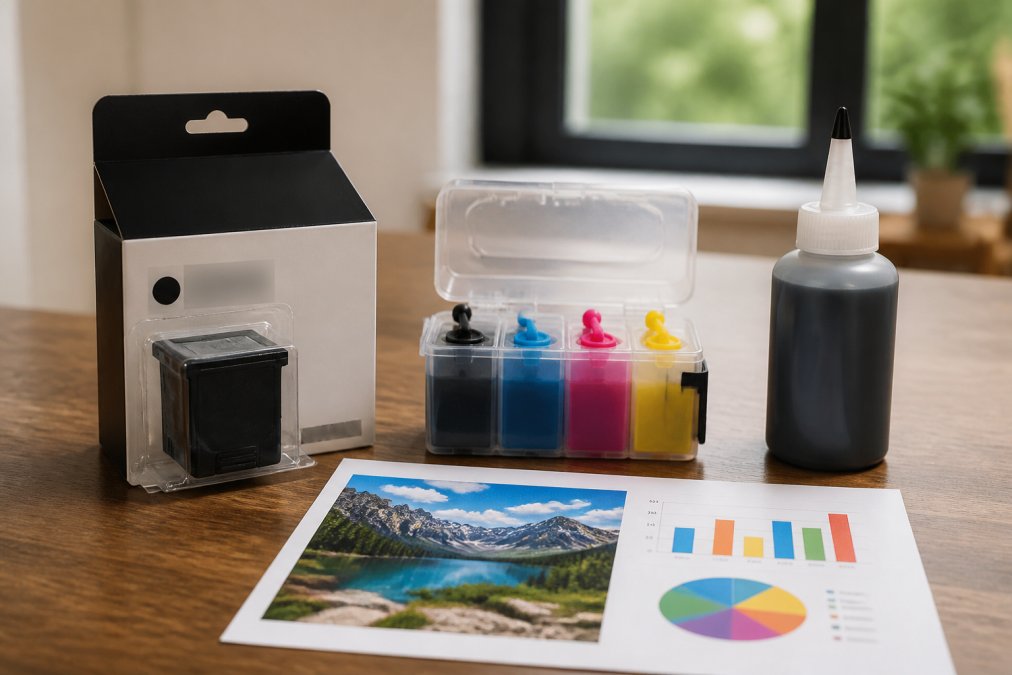
Below, we break down the math, the risks, and the scenarios where refillable cartridges are the clear winner.
Upfront Printer Cost vs. Long-Term Ink Savings
The entry price of a printer tells you very little about what it will cost to run. Manufacturers often sell hardware at a slim margin because they expect to recover profit through proprietary ink sales.
Refillable cartridges shift that balance. You pay more attention to the initial setup, which includes the cartridges and the bulk ink bottles, but every subsequent refill costs a fraction of an OEM replacement. For an Epson WorkForce or Expression model, a set of four 100ml pigment ink bottles paired with refillable cartridges replaces dozens of OEM cartridge purchases over the printer's life.

| Cost Factor | OEM Cartridges | Refillable Cartridges |
|---|---|---|
| Upfront hardware cost | Lower | Similar |
| Cost per refill | High | Low |
| Ink volume per purchase | Fixed (cartridge) | Bulk (100ml+ bottles) |
| Long-term consumable costs | Highest | Lowest |
| Break-even point | Never | After 2-3 refill cycles |
The break-even analysis is straightforward. After roughly two or three refill cycles, the cumulative cost of OEM replacements exceeds the total spent on a refillable system, and every page printed after that point is pure savings. For print shops running DTF or dye sublimation work, that break-even arrives quickly, often within the first month of production.
OEM vs. Aftermarket Ink: Quality, Yield, and Printhead Health
The most common objection to refillable cartridges is that aftermarket ink cannot match OEM quality. That concern is legitimate with unbranded ink of unknown origin, but it does not apply to well-formulated pigment inks designed for specific printer families.
The formulation mechanics that matter. OEM inks are engineered to precise specifications for viscosity, surface tension, pH, and pigment particle size. When an aftermarket ink deviates from those specs, the consequences are mechanical: ink that is too viscous will not flow through the microscopic nozzles (typically 1.5 to 3.5 picoliters per drop on modern Epson heads), leading to starved nozzles and banding. The most damaging failure is oversized pigment particles that physically block the nozzle channel, a clog that a cleaning cycle cannot clear because the obstruction is inside the head.
Why clogging is a maintenance problem, not just a quality problem. Printhead clogging is the leading cause of premature printhead failure in inkjet printers (peer-reviewed research). When a nozzle clogs, the printer's firmware compensates by firing adjacent nozzles harder, increasing thermal load and accelerating their degradation. A single clogging incident with poor-quality ink can permanently reduce output quality, even after switching back to OEM ink. This is why cost-per-page math must include printhead replacement, a new Epson printhead for a WorkForce model runs $80 to $150, and for a SureColor P800 or P5000, the printhead assembly can cost $400 to $700.
Yield verification: the number most guides get wrong. OEM cartridge page yields are measured under ISO/IEC 24712 test standards using 5% coverage per color (iso.org). Real-world printing rarely matches that, a full-bleed color photograph uses 100% coverage, meaning a cartridge rated for 300 pages at 5% coverage will last only 15 to 20 pages of photo printing. Refillable systems sidestep this uncertainty because you control the ink volume: a 100ml bottle contains roughly 3.5 times the ink of a standard OEM cartridge (typically 25-30ml of usable ink), and you can track actual yield per refill rather than relying on a manufacturer's idealized rating.
The archival quality question. OEM pigment inks like Epson's UltraChrome HDX are rated for 200+ years of lightfastness on archival papers (epson.com). Well-formulated aftermarket pigment inks use similar resin-coated pigment particles, but their longevity ratings are rarely published. The practical approach is to test your specific ink and paper combination: print a test image, expose half of it to direct sunlight for 30 days, and compare the faded half to the protected half. If your work is sold as archival, the premium for OEM ink may be justified. If your prints are for proofing, portfolio review, or client presentation, the difference is rarely visible within the first decade.
The bottom line on quality. A quality aftermarket pigment ink that matches your printer's formulation specs will produce output indistinguishable from OEM for color accuracy, density, and gloss uniformity in most applications. The risks are real but concentrated in unbranded inks with no published specifications.

Best Refillable Cartridges for Epson Printers: What to Look For
When you search for the best refillable cartridges for epson printers, the deciding factors are chip compatibility, ink volume, and cartridge construction. For the Expression and WorkForce lines, we recommend the Pigment Ink Refillable Cartridges T220XL for Epson XP-320 XP-420 XP-424, which includes four 100ml bottles of pigment ink and four refillable cartridges for $49.95.
These cartridges ship with a one-time use chip that tracks ink levels for one full cartridge; when it stops working, you replace the chip rather than the cartridge. This design keeps cartridge cost down while ensuring your printer recognizes the ink level correctly.
For the WorkForce line, the Pigment Ink Refillable Cartridges T220XL for Epson WF-2630 WF-2650 WF-2660 offers the same configuration, four 100ml bottles and four cartridges at $49.95. The pigment ink delivers water and smear resistance, making it suitable for documents that get handled frequently.
Refillable Ink Cartridge Maintenance Tips to Protect Your Printer
Refillable ink cartridge maintenance tips are not complicated, but skipping them is the fastest way to turn savings into a repair bill. The number one rule is to print regularly, a nozzle check once a week keeps ink flowing and prevents dried ink buildup that causes clogging.
Run your printer's built-in cleaning cycle only when needed, overusing it wastes ink and accelerates wear on the waste ink pads. If you see banding, run a nozzle check first to identify which color is clogged, then run a targeted cleaning rather than a full cycle.
Store your refillable cartridges properly when not in use. Keep them sealed with the protective cap on the ink outlet and store them upright in a cool, dark place. Pigment ink settles over time, so give the bottles a gentle shake before refilling to ensure consistent color.
Total Cost of Ownership: When Refillable Cartridges Win
Total cost of ownership (TCO) is the only honest way to compare ink systems, because it accounts for every dollar spent over the printer's usable life. The formula is straightforward: TCO = printer purchase price + total ink cost + replacement chips + maintenance parts (waste ink pads, printhead cleaning cartridges) + printhead replacement (if needed). When you run this calculation with real numbers, the break-even point for refillable systems is surprisingly fast.
A working TCO framework you can apply to your own setup. Use this four-step method to find your personal break-even point:
- Determine your monthly print volume. Count the actual pages you printed in the last 30 days. Be honest, sporadic printing changes the math dramatically.
- Calculate your OEM cost per page. Take the price of one OEM cartridge set for your printer and divide by the ISO-rated page yield. For an Epson XP-420, a set of four T220XL cartridges costs approximately $65 and yields roughly 1,200 pages (300 per cartridge) at 5% coverage. That works out to about 5.4 cents per page.
- Calculate your refillable cost per page. A refillable kit with four 100ml bottles costs $49.95. Each 100ml bottle replaces approximately 3.5 OEM cartridges, giving you roughly 1,050 pages per color per bottle, or 4,200 pages for the full set. That works out to about 1.2 cents per page.
- Find your break-even month. Subtract the refillable cost per page from the OEM cost per page to get your savings per page (4.2 cents). Divide the upfront cost of the refillable system ($49.95) by your monthly savings (monthly pages × 4.2 cents). At 100 pages per month, you save $4.20 monthly and break even in 12 months. At 500 pages per month, you save $21 monthly and break even in 2.4 months. At 2,000 pages per month (a small print shop), you save $84 monthly and break even in under three weeks.
Where the math gets even more favorable: high-volume and specialty printing. For photo printing, the gap widens dramatically because photo printing uses far more ink per page. A single 8×10 photo print at full coverage can consume 1-2ml of ink across all colors. At OEM prices, that photo costs $1.50 to $3.00 in ink alone; with refillable cartridges, the same photo costs $0.30 to $0.60. For a photographer printing 50 photos per week, the savings are $60 to $120 weekly, meaning a $149.95 refillable kit for a SureColor P800 pays for itself in under two weeks.
The hidden costs that change the equation. Three factors can shift the break-even point significantly:
- Waste ink pads. Every printer has a waste ink pad that absorbs ink from cleaning cycles. OEM cartridges trigger more frequent cleaning cycles because the printer runs them when it detects low ink or after cartridge changes. Refillable systems with auto-reset chips reduce the frequency of full cleaning cycles, extending waste ink pad life. Replacing a waste ink pad costs $20 to $50 in parts plus labor if you do it yourself.
- Replacement chips. Refillable cartridges with one-time chips require new chips every refill cycle. At $2 to $5 per chip set, this adds a small recurring cost, typically 0.1 to 0.3 cents per page. Auto-reset chips eliminate this cost entirely but add $10 to $20 to the upfront cartridge price.
- Printhead replacement. If you use quality ink and print regularly, printhead failure is rare. But if it happens, the cost is significant. A $49.95 refillable system that causes a $150 printhead replacement has wiped out six months of savings. This is why the quality of your ink supplier matters.
The professional printing case study. For a proofing printer like the Epson SureColor P5000, the TCO math is even more compelling. A set of 11 OEM T913 cartridges costs approximately $600 and yields roughly 3,000 pages of proofing output. The refillable alternative, 11 bottles of 240ml pigment ink with cartridges at $339.95, provides roughly 10,000 pages of output. The per-page cost drops from 20 cents to 3.4 cents. A professional proofing operation printing 200 pages per week saves $33 weekly, breaking even in 10 weeks. Over two years, savings exceed $3,400.
When refillable cartridges do not win. If you print fewer than 20 pages per month, the risk of ink drying in the printhead outweighs cost savings. If you require certified archival output with published lightfastness ratings for client work, OEM ink's documented longevity is worth the premium. If you are still under warranty and cannot afford the risk of a voided claim, waiting until the warranty expires is prudent. For everyone else, home offices, small businesses, photographers, and print shops printing consistently, refillable cartridges can deliver substantial savings on ink costs with a break-even point measured in weeks or months, not years.
Final Verdict: Which Ink System Saves You More in 2026?
For home office users printing a few pages a week, the difference may not justify the switch. For everyone printing regularly, especially small businesses and print shops, refillable cartridges are the clear winner on cost per page.
If your printing volume is low and sporadic, OEM cartridges offer convenience without the maintenance overhead. If you print daily, produce client work, or run high-volume batches, the upfront investment pays off quickly.
Choosing between refillable cartridges and OEM ink comes down to your printing volume and your willingness to manage the refill process. The cost per page savings are real, but they require a basic maintenance routine and quality ink that protects your printhead. Printer Ink Pro carries refillable cartridges, pigment bottle inks, and replacement chips for a broad range of Epson and Canon models. Get started with Printer Ink Pro and cut your consumable costs on the very next refill.
Frequently Asked Questions
Is it cheaper to refill ink cartridges or buy new OEM ones?
Refillable cartridges are significantly cheaper per page. A set of four 100ml pigment ink bottles with refillable cartridges for Epson printers costs $49.95, while OEM cartridges for the same printer deliver far less ink for a similar or higher price. Over a year of regular printing, the savings on consumables can reach hundreds of dollars, making refillable systems the clear choice for cost per page.
Do refillable ink cartridges void my printer's warranty?
Using refillable cartridges does not automatically void your printer warranty. The Magnuson-Moss Warranty Act protects consumers from warranty voiding simply for using third-party consumables. A manufacturer must prove the aftermarket ink caused the specific damage. Clogging from improper ink formulation is the main risk, so choose pigment ink designed for your printer model to keep your printer healthy and your warranty intact.
How much money can a small business save by switching to refillable ink?
A small business printing high volumes can save hundreds of dollars each month. A professional-grade refillable setup like the T913 cartridges for the Epson SureColor P5000 costs $339.95 for 11 cartridges and 11 bottles of 240ml ink. Replacing that volume with OEM cartridges would cost several times more. The exact break-even point depends on your monthly print volume, but higher printing frequency makes refillable systems pay off faster.
Are refillable cartridges safe for my Epson printhead?
Yes, when you use the right ink. Printhead clogs and failures are usually caused by mismatched ink viscosity or poor formulation, not by the refillable cartridge itself. Quality pigment bottle ink is formulated to match printer specifications, including ink saturation and drying properties. Regular maintenance, like running nozzle checks and printing a small test page weekly, keeps ink flowing and prevents clogging issues.