

Professional Grade Pigment Ink Refill Kits: 2026 Guide
Table of Contents
- Professional Grade Pigment Ink Refill Kits: Quick Comparison
- Epson Stylus Pro 7880 9880 Pigment Ink Kit
- Epson SureColor T-Series Pigment XD Ink Options
- Epson Stylus Pro 7900 9900 Professional Pigment Ink
- Epson Stylus Pro 7890 9890 Pigment Ink Refill Set
- Pigment vs Dye Ink for Professional Printing
- Best Practices for Printer Maintenance with Third-Party Ink
- Epson ET 2800 Ink Compatibility and Setup
Last Updated: August 26, 2026
Professional Grade Pigment Ink Refill Kits: Quick Comparison
Professional grade pigment ink refill kits deliver the color accuracy and longevity that fine art photographers, print shop managers, and signage professionals demand. Pigment-based ink's molecular structure keeps particles on the paper surface, delivering water-resistant, fade-resistant prints that hold color for decades, the difference between a print that fades in five years and one that holds true color for a generation (peer-reviewed research).
| Kit Model | Bottle Size | Color Count | Best For | Price |
|---|---|---|---|---|
| Epson Stylus Pro 7880/9880 | 500ml | 8 colors | Fine art & photography | $219.95 |
| SureColor T3270/T5270/T7270 (1000ml) | 1000ml | 5 colors | High-volume production | $229.95 |
| SureColor T3000/T5000/T7000 (500ml) | 500ml | 5 colors | Medium-volume shops | $134.95 |
| Stylus Pro 7900/9900 | 500ml | 11 colors | Extended color gamut | $299.95 |
| Stylus Pro 7890/9890 | 500ml | 9 colors | Professional fine art | $244.95 |
Epson Stylus Pro 7880 9880 Pigment Ink Kit
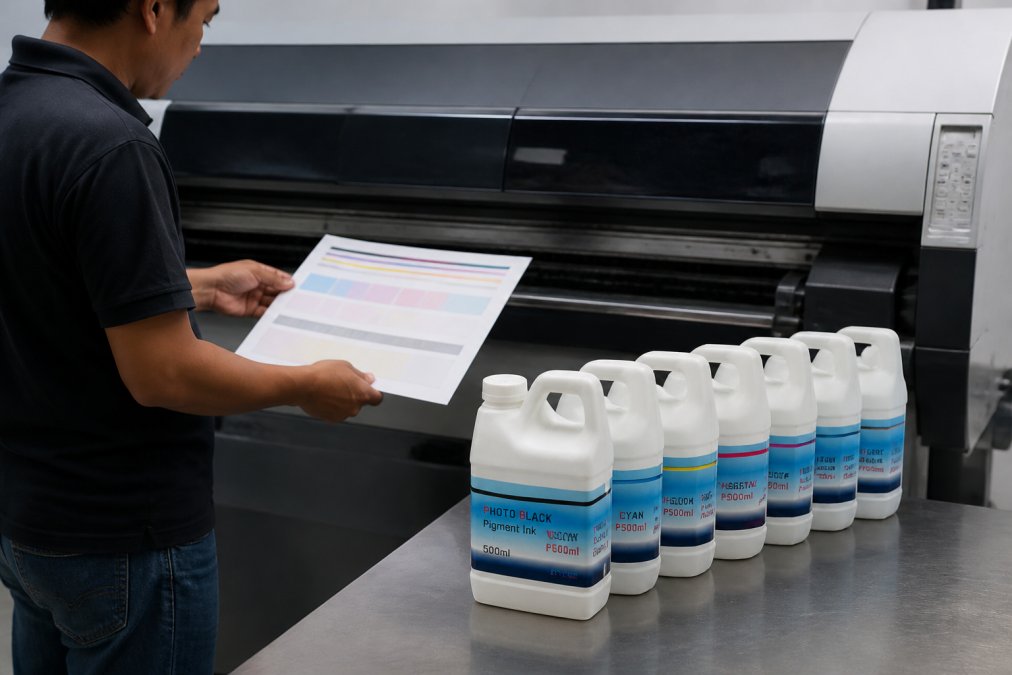
The Stylus Pro 7880 and 9880 remain workhorses for fine art studios and photography labs. The 8 500ml bottles Pigment Ink for Epson Stylus Pro 7880 9880 Printers from Printer Ink Pro deliver eight color channels: Photo Black, Cyan, Vivid Magenta, Yellow, Light Cyan, Vivid Light Magenta, Light Black, and Light Light Black, the full CMYK model plus extended light channels for smooth tonal transitions.

At $219.95 per kit, this represents significant savings over OEM cartridges while maintaining a clog-free formula. The pigment viscosity is calibrated specifically for the 7880/9880's ink delivery system, helping to avoid banding and color shifts. Over a year, the cost difference between OEM and compatible pigment inks can be substantial.

Epson SureColor T-Series Pigment XD Ink Options
The SureColor T-series represents Epson's current generation of large-format professional printers. The pigment XD ink formulation is engineered for this platform's specific architecture, delivering water-resistant output with superior smudge resistance on both glossy photo paper and matte media.

T3270 T5270 T7270 1000ml Bottles
The 5 1000ml compatible Pigment XD Ink for Epson SureColor T3270 T5270 T7270 at $229.95 represents the high-capacity option for continuous production shops. The 1000ml bottles contain five color channels: Photo Black, Cyan, Magenta, Yellow, and Matte Black. For print shops processing many orders weekly, this translates to fewer cartridge swaps and less production interruption. The ink saturation remains consistent across the full capacity range.
T3000 T5000 T7000 500ml Bottles
For moderate-volume shops, the 5 500ml compatible Pigment XD Ink for Epson SureColor T3000 T5000 T7000 at $134.95 offers a lower entry point. The 500ml bottle size works well for shops printing a moderate number of pieces weekly. Ensure your printer firmware is current before switching to compatible inks, as outdated firmware sometimes triggers cartridge recognition errors.
Epson Stylus Pro 7900 9900 Professional Pigment Ink
The Stylus Pro 7900 and 9900 support 11 ink channels, delivering color accuracy that rivals traditional lithography for fine art reproduction and museum-quality prints. The 11 500ml bottles Pigment Ink for Epson Stylus Pro 7900 9900 Printers at $299.95 includes Photo Black, Cyan, Vivid Magenta, Yellow, Light Cyan, Vivid Light Magenta, Light Black, Matte Black, Light Light Black, Orange, and Green. This extended CMYK model with orange and green channels expands the color gamut significantly, capturing saturated oranges and greens that standard CMYK struggles with.
For studios producing limited-edition fine art prints or museums managing archival reproduction, this kit is a professional standard. The pigment ink formulation resists fading under UV exposure, holding color accuracy for many years under controlled conditions.
Epson Stylus Pro 7890 9890 Pigment Ink Refill Set
The Stylus Pro 7890 and 9890 occupy the middle ground between older 7880/9880 and newer 7900/9900 platforms. The 9 500ml bottles Pigment Ink for Epson Stylus Pro 7890 9890 Printers at $244.95 includes nine color channels: Photo Black, Cyan, Vivid Magenta, Yellow, Light Cyan, Vivid Light Magenta, Light Black, and Matte Black. This nine-channel configuration delivers extended color gamut without the full complexity of the 7900/9900 system, striking the right balance between color accuracy and operational simplicity.
The pigment ink formula is calibrated for the 7890/9890 architecture. Using matched ink helps prevent incompatibility issues. For mid-volume shops processing many orders weekly, this represents consistent output quality across the full cartridge capacity range.
Pigment vs Dye Ink for Professional Printing
Pigment ink particles are solid colorants suspended in a carrier fluid that sit on the paper surface, creating a physical layer of color. Dye ink dissolves into the carrier fluid and soaks into paper fibers. For professional work, pigment-based ink wins on three critical dimensions: archival quality, water resistance, and color accuracy.
Pigment prints resist fading under UV exposure, holding color for many years under controlled conditions (iso.org). Dye-based prints fade significantly faster, typically showing visible color shift within a few years. Water and smudge resistance also favor pigment, the physical layer doesn't dissolve when exposed to moisture, while dye prints absorb water and cause colors to bleed together.
Color accuracy favors pigment through a wider color gamut. Extended-gamut pigment systems like the 11-channel Stylus Pro 7900/9900 capture saturated oranges and greens that dye systems cannot match. The trade-off is cost and complexity: pigment inks require more sophisticated print head technology and demand more maintenance to prevent nozzle clogs.
For professional printing, fine art, photography, archival reproduction, and signage, pigment is often the preferred choice. For casual document printing or short-term displays, dye ink remains acceptable.
Best Practices for Printer Maintenance with Third-Party Ink
Switching to third-party compatible inks requires disciplined maintenance protocols. A print head failure can be costly in replacement parts and downtime.
Nozzle checks are important. Run a nozzle check regularly. This diagnostic test reveals clogs before they degrade output quality. A clean nozzle check produces a full spectrum of color bands with no gaps. Missing colors indicate clogging requiring attention.
Print head cleaning cycles prevent issues. When a nozzle check reveals gaps, initiate a print head cleaning cycle. Start with light cleaning. If gaps persist, move to standard cleaning. Reserve deep cleaning for severe clogs, as it consumes significant ink volume.
Ink cartridge storage matters. Leave cartridges installed in the printer if not printing for more than a week, the printer maintains a seal helping to prevent ink from drying. If you remove cartridges, store them in airtight containers at room temperature. Never expose cartridges to direct sunlight or extreme temperature swings.
Firmware updates address compatibility issues. Check the manufacturer website for the latest firmware version before switching to compatible inks. Outdated firmware sometimes triggers false "incompatible cartridge" errors.
ICC profile management ensures color accuracy. Download the ICC profile for your specific ink and paper combination from the ink supplier's website. Install the profile in your operating system's color management folder. When printing, select this profile in your print driver to ensure color accuracy.
Humidity control helps prevent print head issues. Maintain your print environment between 40-60% relative humidity (the CDC). Low humidity can cause ink to thicken and clog nozzles; high humidity can cause ink to thin and bleed into paper.
Never mix ink brands or formulations. Each manufacturer calibrates their ink to specific print head geometries. If you switch ink brands, perform a full print head cleaning cycle before the first print with the new ink.
Epson ET 2800 Ink Compatibility and Setup
The Epson Expression Tank ET-2800 is a compact, affordable entry point into refillable ink tank systems. Unlike cartridge-based printers, the ET-2800 uses built-in ink tanks that you refill directly with bottled ink, dramatically reducing per-page ink costs.
The ET-2800 accepts dye-based ink, not pigment. The printer's firmware, print head design, and color management system are optimized for dye ink formulations. Attempting to use pigment ink will cause print head clogs and void your warranty. If you need pigment-based output, you need a pigment-capable printer like the Stylus Pro or SureColor T-series models.
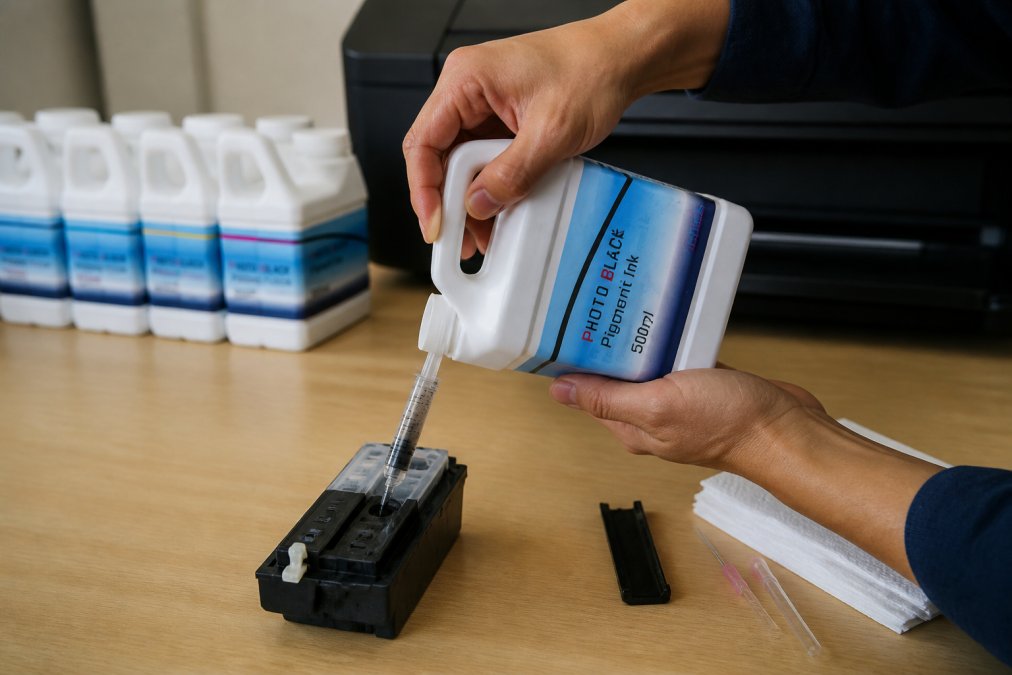
For ET-2800 users, compatible dye-based ink refills are widely available at lower cost than OEM cartridges. The setup process is straightforward: purchase bottled dye ink compatible with the ET-2800, locate the ink tank access doors, and carefully pour ink into the corresponding color tanks. Check product specifications before purchasing to confirm chip compatibility, as some third-party inks require manual reset using a cartridge chip resetter.
The ET-2800 is not a professional-grade pigment system. It's designed for budget-conscious users prioritizing low per-page costs over archival quality. If your work requires fade-resistant, water-resistant output lasting decades, invest in a pigment-capable printer like the Stylus Pro or SureColor T-series paired with professional-grade pigment ink.
Choosing the right professional grade pigment ink refill kits depends on your printer model, production volume, and output requirements. The Stylus Pro 7880/9880, 7890/9890, and 7900/9900 platforms, along with the SureColor T-series, deliver color accuracy and archival longevity that dye-based systems cannot match. Printer Ink Pro stocks compatible pigment ink kits for all these models, engineered to work seamlessly with your equipment while cutting ink costs dramatically compared to OEM cartridges. Pair the right ink kit with disciplined maintenance, nozzle checks, cleaning cycles, ICC profile management, and your printer will deliver consistent, professional-quality output for years.
Frequently Asked Questions
Q: What are the primary advantages of using professional grade pigment ink?
A: Professional grade pigment ink delivers superior longevity, archival-quality fade resistance lasting decades, and exceptional water-resistance compared to dye-based alternatives. Pigment particles sit on the paper surface, creating sharper detail and richer color accuracy across a wider color gamut. For fine art, photography, and high-volume print shops, pigment inks maintain color stability under varying light conditions and humidity, making them ideal for work that must meet strict quality standards.
Q: Can I use professional grade pigment ink refill kits with any printer model?
A: No, pigment ink refill kits are engineered for specific printer models and series. Our compatible kits are formulated for Epson Stylus Pro and SureColor T-series printers, as well as select Canon models. Using pigment ink in an incompatible printer can cause print head clogging, poor color output, and hardware damage. Always verify your exact printer model against the kit specifications before purchasing to ensure compatibility.
Q: How much will I save switching from OEM cartridges to refillable pigment ink systems?
A: Switching to refillable pigment ink systems typically reduces ink costs compared to OEM cartridges. For example, our 5-bottle 1000ml Pigment XD Ink set for SureColor T-series printers costs $229.95 and delivers significantly higher page yield than equivalent OEM cartridges. High-volume print shops and professional photographers can see substantial savings through reduced per-page ink expenses, while maintaining print quality and archival standards.
Q: What is the difference between archival pigment ink and standard pigment ink?
A: Archival pigment ink formulations include enhanced fade-resistant compounds and superior water-resistance properties, designed to preserve color accuracy for many years under standard display conditions. Standard pigment ink delivers excellent color and longevity for commercial and professional work but may not meet museum-grade archival standards. Our professional grade pigment inks feature archival-quality fade resistance and smudge-proof formulations, making them suitable for fine art prints, photography portfolios, and long-term document preservation.
This article was written using GrandRanker