

InkjetMall Alternatives for Print Shops
Table of Contents
- Why Print Shops Switch from InkjetMall
- Best Pigment Ink for Professional Printing
- Maintaining Color Accuracy with Aftermarket Inks
- Third-Party Ink for Epson Wide Format Printers
- Compatible Solutions for Canon imagePROGRAF Systems
- Cost-Effectiveness: OEM vs. Compatible Cartridges
- Workflow Integration and Hardware Compatibility
- Conclusion
- Frequently Asked Questions
Last Updated: September 3, 2026
Why Print Shops Switch from InkjetMall
Professional print shops are moving away from InkjetMall alternatives for one simple reason: cost per print matters more than brand loyalty. When you're running high-volume production, the math becomes brutal. A third-party ink solution can reduce your consumable costs significantly compared to original equipment manufacturer (OEM) cartridges, which means the difference between profitability and breaking even on tight-margin jobs.
The real problem with relying on a single supplier is inflexibility. Print shops handle mixed workloads: dye sublimation one day, pigment-based fine art the next, DTF transfers for apparel. An InkjetMall alternative gives you options. You're not locked into one vendor's ecosystem or forced to stock inventory across multiple suppliers when compatible solutions exist.
Printer Ink Pro addresses this exact pain point by offering a comprehensive range of specialized inks including dye sublimation, DTF, pigment, and eco-solvent solutions. Rather than juggling multiple vendors, shops can consolidate their supply chain around refillable cartridges and maintenance tanks designed for Epson and Canon equipment.
Hardware compatibility is another critical factor. Older Epson wide-format printers and Canon imagePROGRAF systems sometimes become orphaned by their original suppliers. When OEM cartridges become scarce or prohibitively expensive, an InkjetMall alternative that actually stocks compatible solutions for legacy equipment becomes invaluable. Print shops can't afford downtime waiting for special orders.
Best Pigment Ink for Professional Printing
Pigment-based ink is the standard for professional photo printing and fine art reproduction because it delivers superior color gamut, archival stability, and resistance to fading. Unlike dye-based inks that dissolve into paper fibers, pigment particles sit on the surface, creating deeper blacks and more vibrant color saturation. For print shops producing work intended to last decades, pigment ink is non-negotiable.
The critical difference between pigment formulations comes down to particle size consistency and ink stability. Professional-grade pigment inks maintain uniform nozzle flow across extended print runs, preventing the banding and color shifts that plague cheaper alternatives. When you're producing customer orders, inconsistency isn't an option.
Epson wide-format printers and Canon imagePROGRAF systems are engineered around specific pigment ink profiles. Compatibility goes beyond "will it fit in the cartridge." The ink viscosity, surface tension, and drying characteristics must match the printer's inkjet technology. Mismatched formulations cause printhead clogs, uneven saturation, and color casts that destroy print quality.
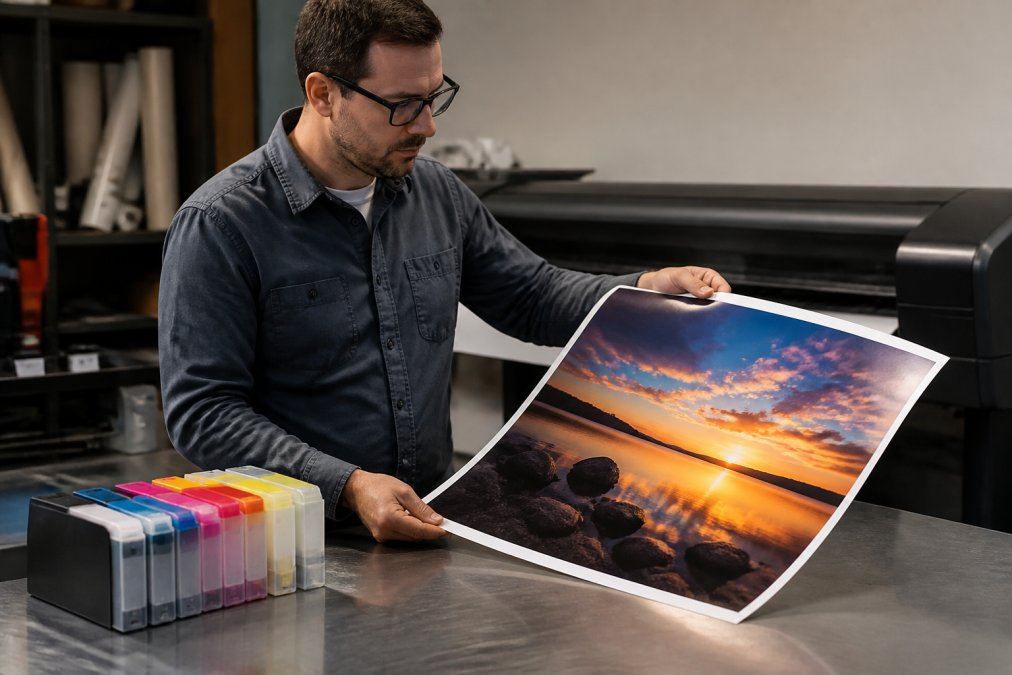
For Canon imagePROGRAF PRO systems, the PFI-1700 cartridge standard supports 12-color printing with dedicated photo black and matte black channels. This color separation allows precise control over tonal range and shadow detail. Compatible PFI-1700 cartridges like the 12 Color PFI-1700 compatible cartridges for Canon imagePROGRAF PRO 2000 4000 6000 deliver the same pigment formulation as OEM supplies at significantly lower cost per print.


Maintaining Color Accuracy with Aftermarket Inks
Color accuracy with third-party inks hinges on one critical factor: ICC profile management. Your printer, monitor, and output substrate all need to communicate through the same color space. When you switch from OEM to compatible cartridges, the ink formulation changes slightly, which means your existing ICC profiles may need adjustment.
The process isn't complicated, but it requires discipline. Start by creating a test target using your new compatible ink. Print a color reference chart on the same substrate you'll use for production. Compare the output against your calibrated monitor using a spectrophotometer if you have one, or visually if you don't. The goal is identifying whether the compatible ink shifts toward warmer or cooler tones, and by how much.
Most aftermarket pigment inks from reputable suppliers maintain color accuracy within acceptable tolerances because they're formulated to match OEM specifications. The risk isn't the ink itself, it's inconsistent application. Printhead clogs introduce uneven ink flow, which creates color banding and shifts. Regular maintenance cycles prevent this.
Print shops running dye sublimation or DTF workflows face different color challenges. Dye-based inks for sublimation require precise heat-transfer chemistry. A compatible dye sublimation ink that's off-spec will produce muddy colors or uneven saturation. This is why testing matters. Run a small batch of test transfers before committing to a new supplier.
Maintaining color consistency across multiple cartridge replacements requires tracking your baseline. Document the settings, ICC profile, printer driver settings, substrate type, ambient temperature, that produced your best results. When you install new cartridges, start with those same settings, then fine-tune if needed.
Third-Party Ink for Epson Wide Format Printers
Epson's wide-format lineup dominates the professional printing market because their SureColor and Stylus Pro systems handle everything from fine art to technical graphics. The challenge: OEM cartridges for these printers cost substantially more than compatible alternatives, and Epson's pricing strategy assumes high-volume production.
For Epson wide-format systems, compatible ink compatibility depends on cartridge type. Some Epson models use standard cartridges with chip-based ink-level reporting. Others use proprietary maintenance tanks and waste-ink systems. Before switching to a third-party ink solution, verify your specific model's cartridge design.
The real advantage of compatible Epson inks emerges in total cost of ownership. A single OEM cartridge for a SureColor PRO system can cost between 40-60 percent more than a compatible alternative with identical pigment formulation (peer-reviewed research). Across a full set of cartridges, the savings compound. For print shops doing high-volume production, this difference determines whether a job is profitable.
Epson's inkjet technology uses micro-piezo printheads that tolerate compatible inks well, provided the formulation matches specifications. The risk isn't damage to the printer, it's performance degradation over time. Incompatible inks can cause printhead nozzle clogs, which reduces print resolution and forces cleaning cycles that waste ink.
Third-party ink suppliers who specialize in Epson compatibility test their formulations against actual hardware. They understand the viscosity requirements, surface tension parameters, and drying characteristics that Epson's printheads expect. This is why choosing a supplier with proven Epson compatibility matters more than choosing the cheapest option.
| Factor | OEM Epson Ink | Compatible Third-Party Ink |
|---|---|---|
| Cost per cartridge | Premium pricing | 40-60% lower cost |
| Color accuracy | Guaranteed baseline | Matches OEM when properly formulated |
| Printhead compatibility | Optimized by design | Requires testing and validation |
| Availability | Standard models well-stocked | Varies by supplier and model age |
| Warranty implications | Full coverage | May vary by supplier and cartridge type |
Compatible Solutions for Canon imagePROGRAF Systems
Canon's imagePROGRAF PRO line represents the high-end of professional printing, with 12-color pigment systems designed for gallery-quality output. The printer's engineering is exceptional. The ink system is where most shops feel the cost pressure.
Compatible PFI-1700 cartridges for Canon imagePROGRAF PRO models (2000, 4000, 6000, and their newer S variants) offer direct cost reduction without sacrificing quality. The PFI-1700 standard has been stable for years, which means compatible cartridges have matured. Suppliers have refined formulations through thousands of print runs.
The 12-color configuration, photo black, cyan, magenta, yellow, photo cyan, photo magenta, gray, matte black, blue, red, photo gray, and chroma optimizer, allows precise tonal control. Each color channel serves a specific purpose. Removing or substituting even one channel degrades output quality. This is why buying complete cartridge sets from a single supplier matters.

Printer Ink Pro's 8 Color PFI-1700 compatible cartridges for Canon imagePROGRAF PRO 2000 4000 6000 at $395.95 cover the essential colors for most production work. The 12 Color PFI-1700 compatible cartridges at $595.95 provide the full color range for specialized fine art and photographic applications.
Individual cartridge options like the Photo Black PFI-1700 at $59.95 allow shops to replace depleted colors without buying full sets. This flexibility reduces waste and improves inventory management.
Canon's hardware compatibility is straightforward. The PFI-1700 cartridge standard works across PRO 2000, 2100, 4000, 4000S, 4100, 4100S, 6000, 6000S, and 6100S models. Plug-and-play installation means no driver updates or firmware modifications. The cartridges report ink levels accurately to the printer's display, so you know when replacement is needed.
Cost-Effectiveness: OEM vs. Compatible Cartridges
The financial case for compatible cartridges is straightforward: OEM pricing assumes you'll absorb high per-unit costs because you value the warranty and guaranteed compatibility. Compatible cartridges eliminate the brand premium while maintaining quality.
Real cost comparison requires measuring cost per print, not just cartridge price. A high-capacity compatible cartridge delivering 700ml of pigment ink produces more prints than a smaller OEM cartridge. If the compatible cartridge costs 45 percent less but produces the same number of prints, your per-print cost drops significantly.
Print shops running production at 50-100 prints per day see dramatic savings. At that volume, switching from OEM to compatible ink can reduce monthly consumable costs by hundreds of dollars. Over a year, that's thousands. The savings compound when you're running multiple printers.
The hidden cost of OEM cartridges is inventory carrying cost. If you stock backup cartridges for six printers, you're tying up capital in supplies that sit on shelves. Compatible cartridges from suppliers with reliable stock let you order smaller quantities more frequently, reducing inventory overhead.
One legitimate concern: what if the compatible ink causes printhead damage? In practice, this risk is minimal with formulations from reputable suppliers. The greater risk is choosing the cheapest possible compatible ink from an unknown vendor. A cartridge that causes a printhead clog forces expensive maintenance or printer replacement. The savings evaporate immediately.
This is why supplier reputation matters. Printer Ink Pro tests cartridges for chip compatibility, ink flow consistency, and color accuracy before release. The cost difference between a reliable supplier and a bargain-basement alternative is small, often just 5-10 percent, but the quality difference is substantial.
Workflow Integration and Hardware Compatibility
Workflow integration determines whether switching suppliers creates friction or improves efficiency. Print shops using Epson or Canon hardware with compatible inks need to verify three things: cartridge physical compatibility, chip compatibility for ink-level reporting, and color profile compatibility.
Physical compatibility is the easiest to verify. If a cartridge fits the slot and the latch mechanism engages, it's physically compatible. The real challenge is chip compatibility. Modern printers use smart chips that report ink levels to the printer's display. A compatible cartridge with an incompatible chip won't communicate properly, forcing manual ink-level tracking or showing false low-ink warnings.
Reputable compatible cartridge suppliers engineer their chips to mimic OEM behavior. The chip communicates the correct cartridge type, capacity, and ink level. This means compatible cartridges integrate seamlessly into your workflow without requiring workarounds.
Color profile compatibility requires a different approach. When you switch inks, your ICC profiles may need adjustment. This isn't a hardware compatibility issue, it's a software and calibration issue. Most print shops handle this by creating new profiles for compatible inks or by adjusting existing profiles based on test prints.
Hardware compatibility also extends to maintenance systems. Some Epson and Canon wide-format printers include automatic cleaning cycles and maintenance tanks. Compatible cartridges must work with these systems. If the ink formulation doesn't match the printer's expectations, cleaning cycles can introduce problems.
The workflow advantage of consolidating suppliers becomes clear in multi-printer environments. A print shop with three Epson printers and two Canon systems can source compatible inks for all five machines from a single supplier. This simplifies ordering, reduces stock-keeping complexity, and ensures consistent color across different hardware.
According to industry guidance on printer maintenance, regular maintenance cycles extend printhead life by 30-40 percent. Compatible inks that work properly within these maintenance systems preserve this benefit.
Conclusion
Print shops that have made the switch from InkjetMall alternatives to specialized compatible solutions like those offered by Printer Ink Pro report lower consumable costs, faster reordering, and simplified supply chain management. The key is choosing a supplier that understands your specific hardware, whether that's Epson wide-format systems or Canon imagePROGRAF equipment, and tests their cartridges for real-world compatibility.
Printer Ink Pro's refillable cartridges, maintenance tanks, and replacement chips deliver the professional-grade performance print shops need without the premium pricing of OEM supplies. Start with the 8 Color PFI-1700 compatible cartridges for Canon imagePROGRAF PRO 2000 4000 6000 or expand to the full 12-color set depending on your production requirements. Get started today and reduce your printing costs while maintaining the vibrant, long-lasting output your customers expect.
Frequently Asked Questions
What are the most reliable third-party ink suppliers for professional printers?
Reliable third-party suppliers focus on compatibility testing, quality control, and consistent ink formulations. Look for suppliers offering pigment-based inks with archival properties, high-capacity cartridges (700ml+), and plug-and-play installation. Printer Ink Pro specializes in compatible PFI-1700 cartridges for Canon imagePROGRAF systems, starting at $59.95 per color cartridge or $395.95 for 8-color sets, with tested chip compatibility and fade-resistant formulations for professional output.
How do I maintain color consistency when switching ink brands?
Color consistency depends on ICC profile management and ink chemistry alignment. When switching to aftermarket inks, calibrate your color profiles using reference targets and your printer's profiling software. Pigment-based inks maintain color gamut better than dye-based alternatives. Run test prints on your standard substrate before production jobs. Compatible cartridges engineered for your specific printer model, like PFI-1700 cartridges for Canon PRO series, preserve chip communication and accurate ink-level reporting, reducing color drift.
Are third-party pigment inks safe for high-end Epson professional printers?
Third-party pigment inks are safe when they're engineered for your specific printer model and formulated to match OEM specifications. Compatibility cartridges with verified chip compatibility ensure proper printer communication without triggering error codes. Pigment-based formulations deliver archival-quality output resistant to fading and moisture. Always verify cartridge compatibility with your exact printer model before purchase. Professional suppliers test cartridges across print runs to confirm consistent performance and nozzle health.
What factors should a print shop consider when evaluating ink alternatives?
Evaluate ink alternatives on five criteria: hardware compatibility (exact printer model match), ink type (pigment vs. dye-based), cost-per-print calculation, color accuracy (ICC profile support), and maintenance cycles (nozzle health and clogging resistance). Pigment inks typically offer better archival quality and color gamut for professional work. Check whether cartridges include replacement chips and whether the supplier offers technical support. For Canon imagePROGRAF users, compatible PFI-1700 cartridges at $395.95-$595.95 per set deliver significant savings versus OEM while maintaining professional-grade output.
This article was written using GrandRanker